Apr 10, 2026 · Booking
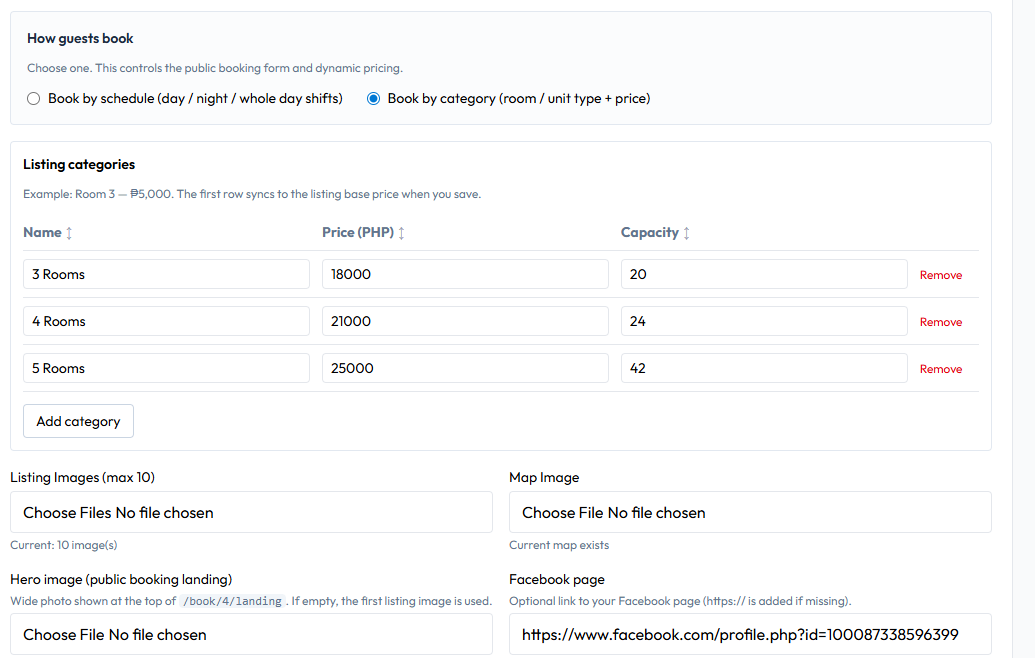
Create Booking Listing
Create a public booking listing where guests can view, reserve, and pay online. Set your pricing, availability, and property details to start accepting bookings instantly.
Read more
Tips, updates, and guides from Tenant Lady.
Apr 10, 2026 · Booking
Create a public booking listing where guests can view, reserve, and pay online. Set your pricing, availability, and property details to start accepting bookings instantly.
Read more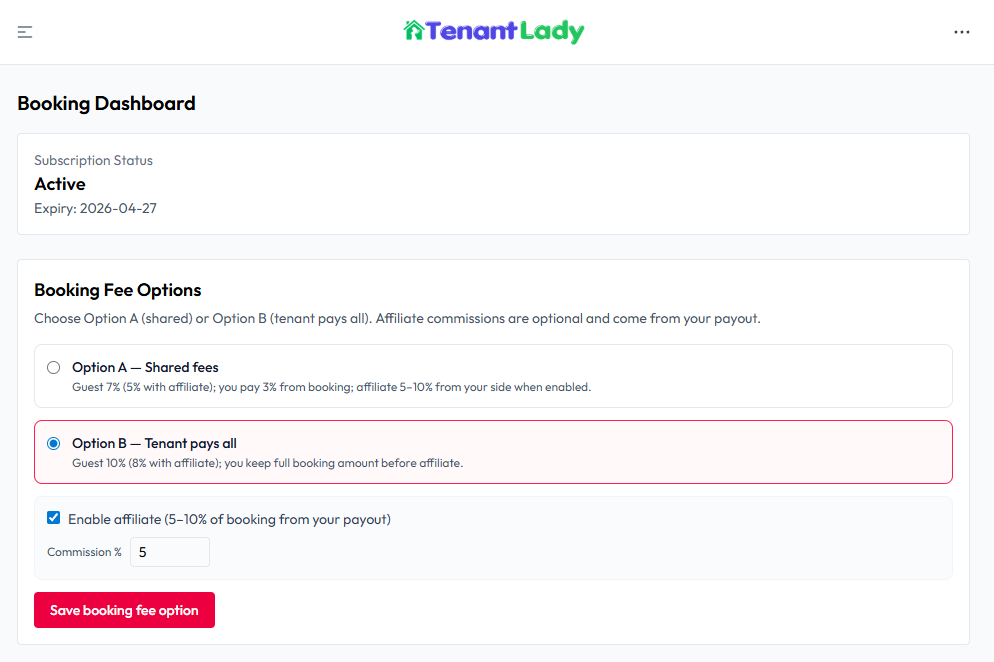
Apr 10, 2026 · Booking
Choose how platform and service fees are applied to bookings. These settings determine how fees are split between you and the tenant (guest) during checkout. All payments are processed in-app and bookings are automatically confirmed after successful payment.
Read more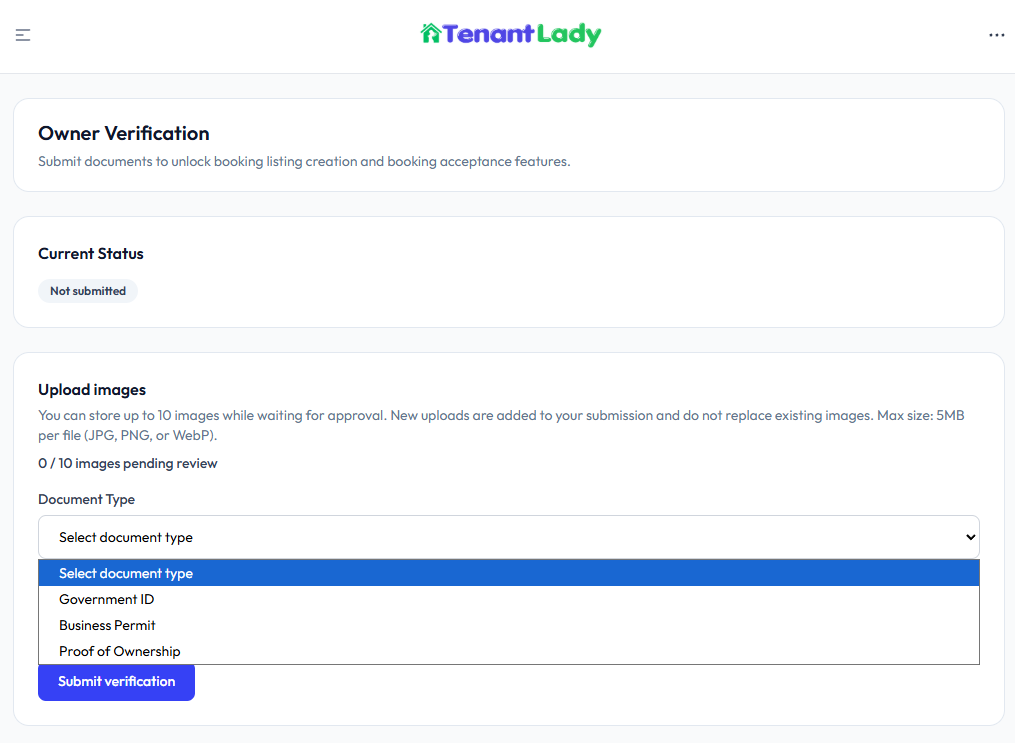
Apr 10, 2026 · Account
🛡️ Owner Verification Description:Submit valid identification documents to verify your account and unlock booking features, including creating listings and accepting bookings. Veri...
Read more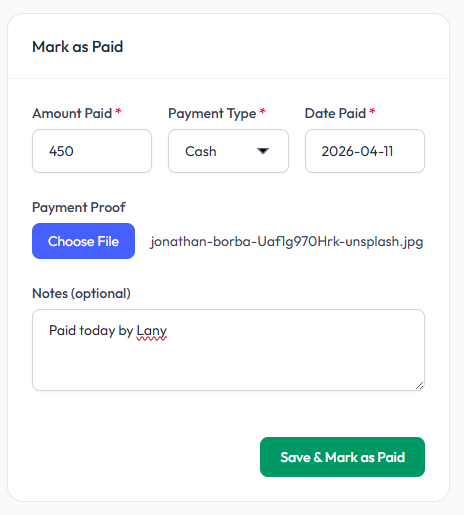
Apr 10, 2026 · Bill
Record a payment for a bill and mark it as paid. This can be done by the tenant or landlord, especially in cases where payment was made offline (e.g., cash) and no online proof is available.
Read more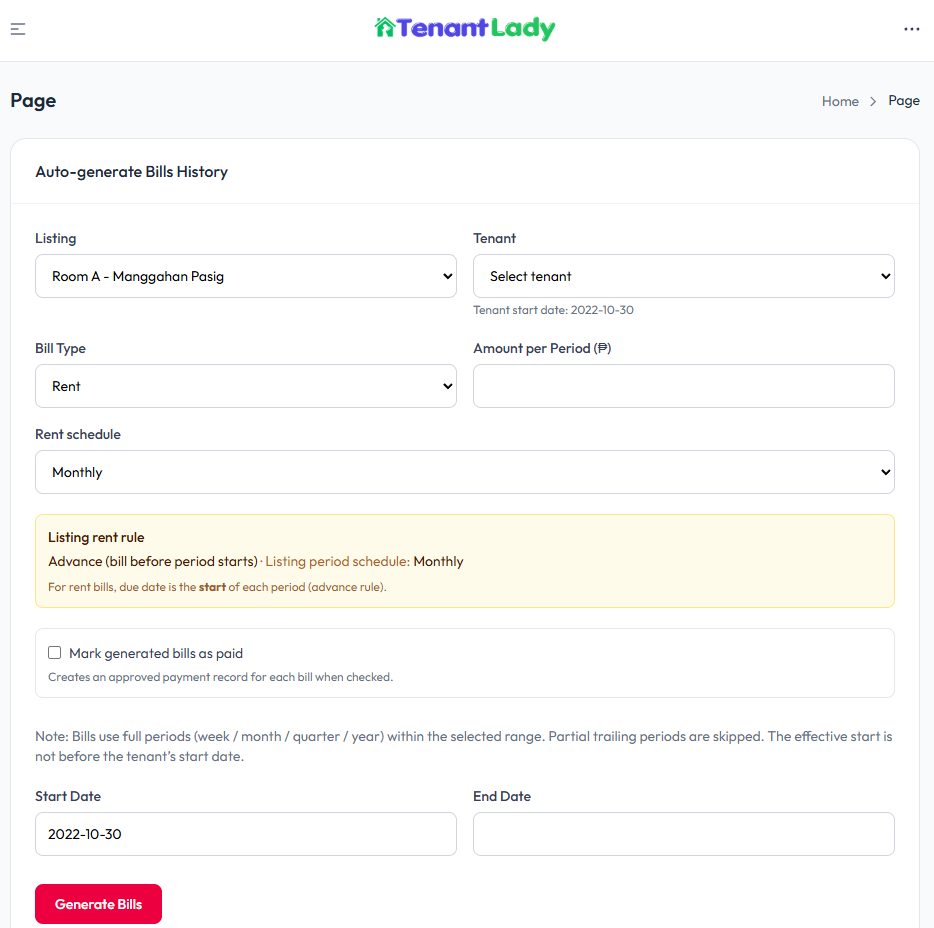
Apr 10, 2026 · Bill
Automatically create past bills for a tenant over a selected date range based on the listing’s rent schedule and rule. This is useful for backfilling records, migrating data, or reconstructing billing history.
Read more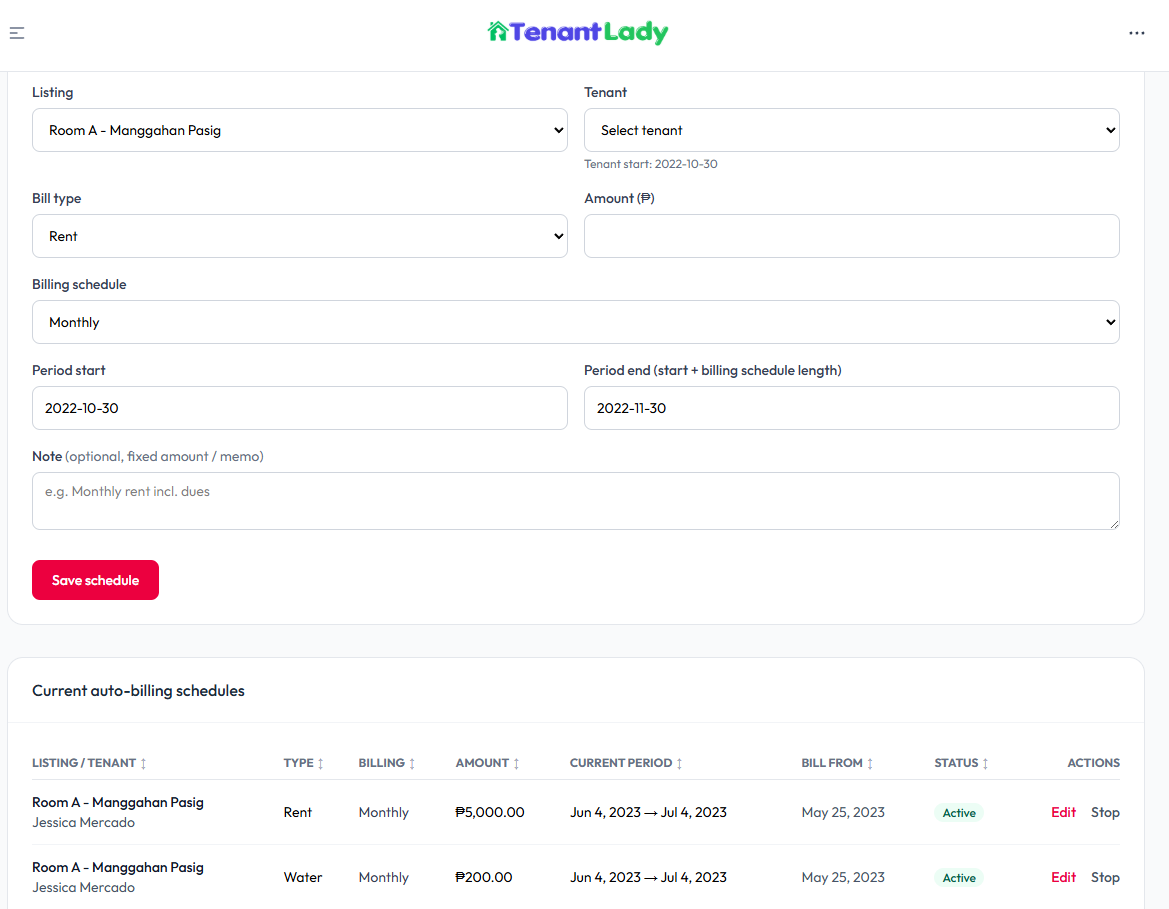
Apr 10, 2026 · Bill
Automatically generate recurring bills (e.g., rent or fixed charges) for tenants based on a defined schedule. The system creates bills at the correct time depending on the rent rule (advance or delay) and repeats them according to the selected billing interval.
Read more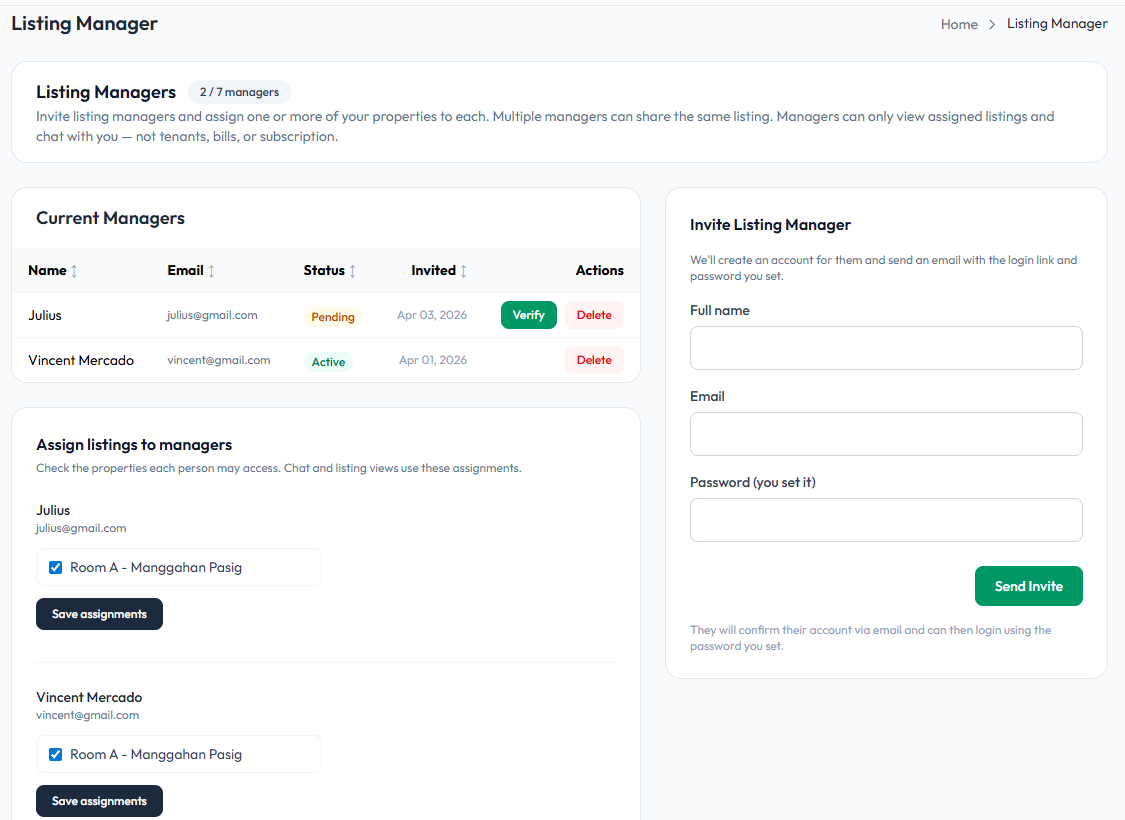
Apr 10, 2026 · Property
Invite and manage team members who can view and manage assigned property listings. Listing managers have limited access and can only see assigned listings and communicate with you, helping you delegate property oversight securely.
Read more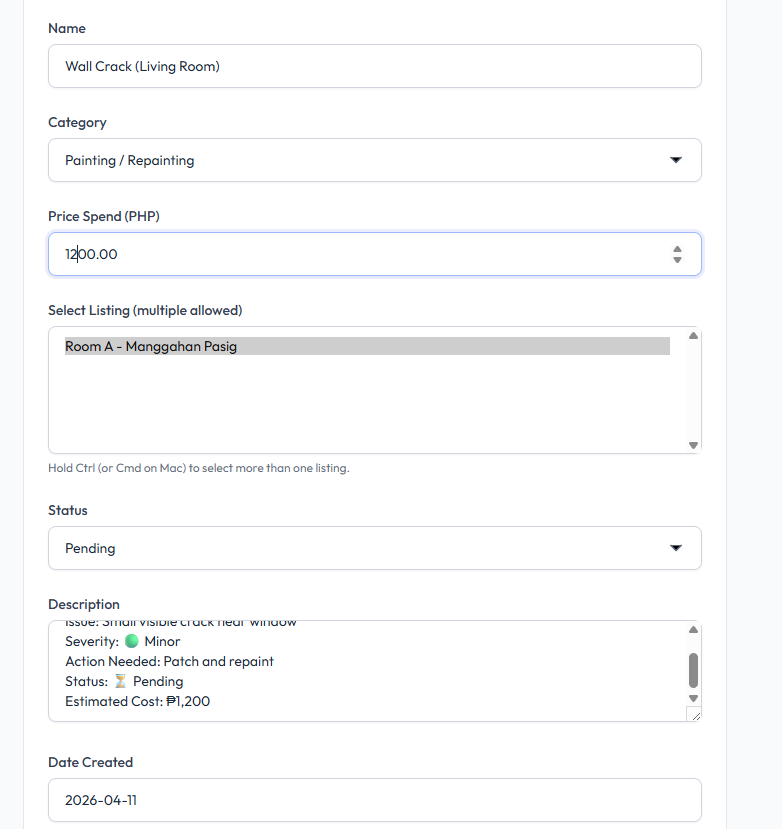
Apr 10, 2026 · Property
Record and track maintenance work, repairs, or expenses for your properties. This feature allows you to log issues, monitor status, and track costs across one or multiple listings.
Read more